
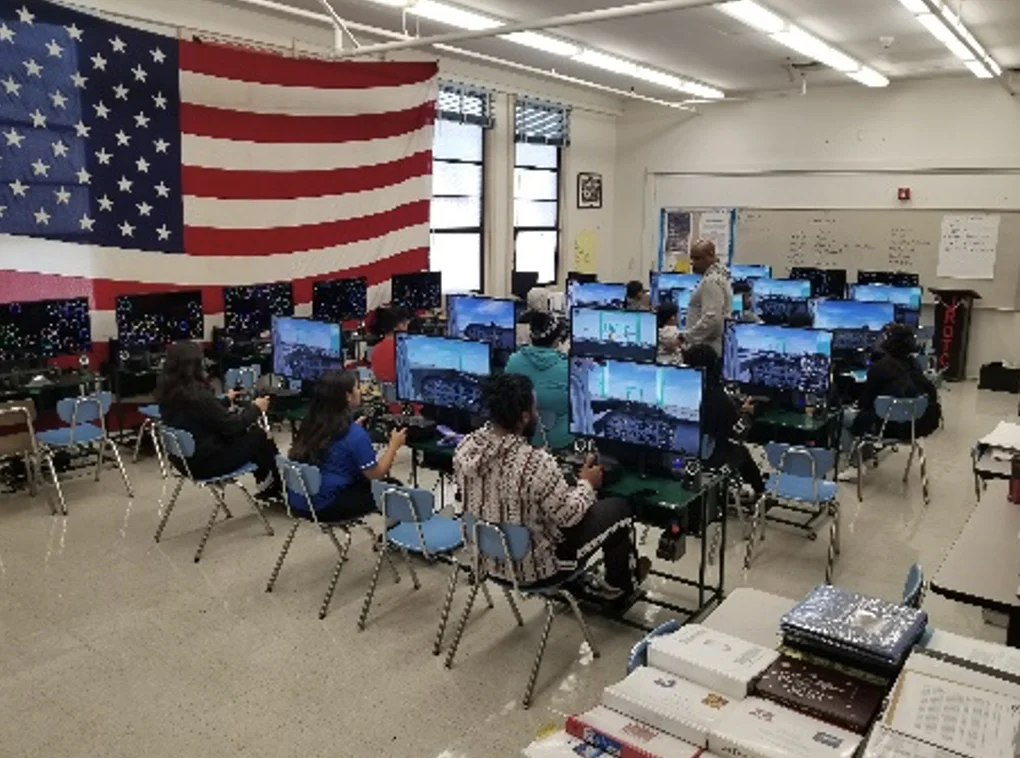
Create three purposeful learning areas
A planning area gives teams room for maps and calculations. The simulator area lets a crew test its decisions. A review area supports discussion, notes, and revised explanations. These can be flexible uses of the same classroom furniture rather than three permanently separate spaces.
Plan a rotation around the lesson
Begin with a shared concept and a clear mission. While one crew flies, another can complete calculations and another can review observations. Switch roles at a defined checkpoint so the pilot is not the only student doing meaningful work. Allow transition time for seating, controls, and a short handover.
Check the practical details
Map doors, accessible routes, sightlines, power access, and teaching space. Compare the full installed footprint of each product, including displays and room around the operator. Ask STEMPilot to review the proposed layout, equipment count, delivery needs, and staff training before ordering.
Sketch your first rotation
Draw the classroom and mark a place to learn, plan, fly, and analyze. For a single class period, write what each crew will produce at every stage. Check that a waiting crew has a task tied to the same objective.
Program information: Aviation lab catalog ↗. Classroom examples on this page are suggested teaching activities.